How to Choose a Retail Store Cash Register?
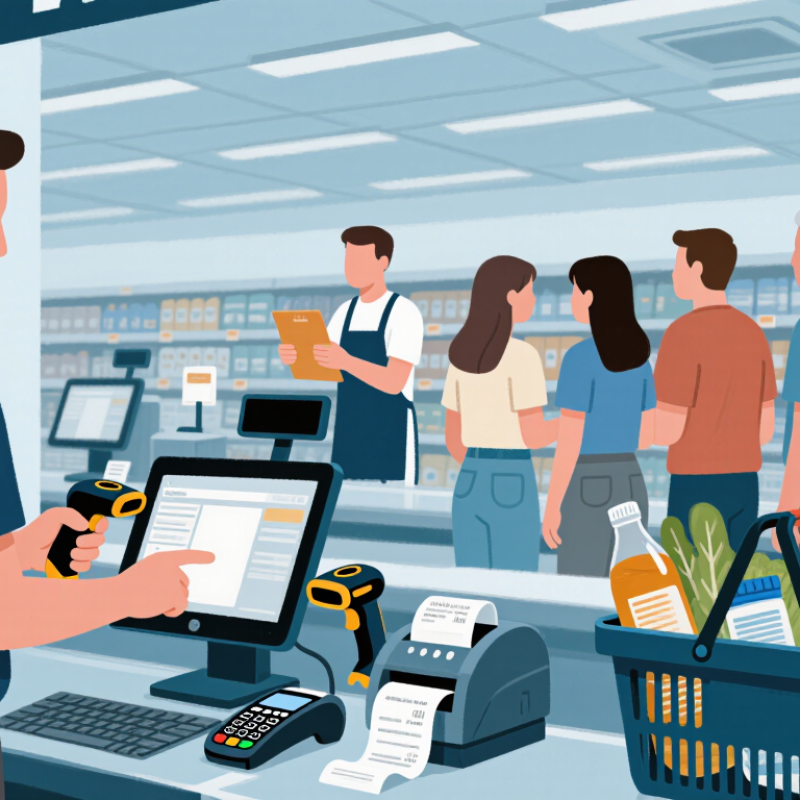
Choosing a Retail Store Cash Register is not just a payment decision. It affects checkout speed, staff workload, and a customer’s final impression of your shop. At 8:45 a.m., a queue may form while an employee searches for the right screen or fixes a misread barcode. Small delays add up. So do small errors.
Retail consultant Bob Phibbs, known as The Retail Doctor, offers a useful reminder: “Retail is detail.” A cash register choice puts that idea into practice. The best fit depends on how your store actually operates, not on the longest feature list. A compact boutique may value a simple interface and fast card payments. A busy grocery store may need a barcode scanner, receipt printer, and reliable inventory tracking. Hardware matters, but so do training time, support, and the cost of adding another checkout lane. Looks can mislead.
This guide explains how to compare register types, payment options, essential features, and total costs. It also highlights questions to ask before buying, from software compatibility to what happens when the internet drops. Test the system with real products and a new employee, if possible. A smooth demo is not proof of a smooth Saturday rush. Some needs only become clear after a few weeks of use, which is worth admitting before you commit.
Assess Store Needs: Cash Accounted for 16% of U.S. Payments in 2023
Cash may no longer dominate U.S. checkout, but it remains a meaningful part of store operations. The Federal Reserve’s 2024 Diary of Consumer Payment Choice reports a 16% cash share in 2023. That was down from 18% in 2022. This share can affect register choice, especially in stores with frequent low-value sales or customers who prefer notes and coins. Cash still matters.
Before choosing a register, estimate daily cash transactions, average cash sale, change needs, and end-of-day reconciliation time. A busy café may need a quick-opening drawer, clear denomination reporting, and a compact receipt printer. A small gift shop may value simple staff training and dependable offline checkout. Ask employees to test the drawer with real coins and typical rush-hour queues. Small details count.
The U.S. Census Bureau’s Quarterly Retail E-Commerce Sales report put e-commerce at 15.4% of total U.S. retail sales in 2023. Consider whether checkout records need to connect with online inventory, returns, or sales reports. Choose functions your staff will actually use, not just an impressive feature list. Cash forecasts can be wrong. Review your own payment mix for several weeks before committing; a national average may not describe your customers. A register should fit the store, not force new workarounds.
Compare Register Types: Traditional Tills, POS Terminals, and Cloud Systems
A traditional till handles cash, prints receipts, and keeps basic sales records. It suits a small shop with steady stock and simple checkout needs. Setup is straightforward. But reports may require manual counting, and inventory updates can lag during busy sales. A POS terminal adds a screen, barcode scanner, and tools for tracking products, discounts, and staff shifts. Check that its interface is clear during a rush, not just during a calm demonstration. Hardware costs and staff training time matter.
Cloud systems store sales data online and can sync stock across multiple locations. Managers can review figures remotely, while staff see updated product counts at checkout. These systems usually depend on reliable internet and a plan for outages, such as offline sales processing. Ask what data remains available if the connection drops. Review security settings, user permissions, export options, and recurring fees before buying. More features are not always better. For a single counter, a complex dashboard may slow staff down; that trade-off is easy to overlook. Test a normal sale, a refund, and a stock correction with the people who will use the register.
Prioritize Payment Security: Visa Reported an 87% Drop in U.S. Counterfeit Fraud
Choosing a retail cash register means checking how it protects each payment, not just how quickly it rings up a sale. A reported 87% drop in U.S. counterfeit fraud is encouraging, but it does not mean counterfeit attempts have disappeared. Store owners should treat the figure as context, not a guarantee.
Look for a register that supports chip and contactless payments, encrypts payment data, and receives regular security updates. Ask how it handles failed connections and whether staff can access only the functions they need. Test the checkout flow with a real shift in mind: a customer waiting, a receipt printer running low, and a new employee needing help. Small details matter.
Ask the provider who manages updates and what happens if suspicious activity appears. Confirm that the payment setup meets current requirements for your location; features alone do not ensure safe handling.
Keep passwords unique, remove access when staff leave, and review transaction records regularly. It takes time. I would not assume a newer register is automatically safer. Security depends on setup, maintenance, and everyday habits, and busy stores can miss steps. A short checklist beside the register may help, even if it is not perfect.
Compare Total Costs: Hardware, Processing Fees, Software, and Maintenance
Choosing a retail cash register means comparing the full cost, not just the price on the box. Hardware may include a touchscreen, cash drawer, receipt printer, and scanner; ask how replacements and repairs are priced. Software can add monthly charges for extra terminals, inventory tools, or support. Check whether updates and data exports are included. The Federal Reserve’s 2024 Federal Reserve Payments Study counted 163.4 billion card payments worth $10.6 trillion in the United States in 2022. That scale makes processing fees worth close attention. For example, a hypothetical 2.6% fee plus 10 cents on a $40 sale costs $1.14. Actual rates vary by provider, card type, and transaction method.
Tips: Compare fees using your typical ticket size and monthly sales, not a headline rate. Ask for every extra charge in writing, including setup, cancellation, and chargeback fees. Calculate a three-year total. A tidy spreadsheet can still miss downtime: one broken receipt printer during a busy hour has a real cost, even if it is hard to predict. PCI Security Standards Council guidance also makes payment security a continuing responsibility, so confirm what security updates and support the software plan includes. Don’t assume the cheapest option stays cheapest.
Check Compliance and Support: PCI DSS Protects Payment Card Data
A retail register is more than a checkout screen; it connects your store to a payment environment. Before buying, ask how it supports PCI DSS responsibilities: secure settings, restricted staff access, and timely software updates. Request the payment provider’s current Attestation of Compliance, then confirm which tasks remain yours. A vendor’s compliance does not automatically make your store compliant. Small details matter. Check whether the vendor documents encryption, remote access controls, update schedules, and a clear support contact.
The 2024 Data Breach Investigations Report found that 68% of breaches involved a non-malicious human element. That makes staff permissions and practical training part of register selection, not optional extras. The 2024 Cost of a Data Breach Report estimated the global average breach cost at $4.88 million. That figure is not a forecast for one shop, but it is hard to ignore. Ask who handles patches, incident response, and troubleshooting when a terminal stops syncing. Get response times in writing, and test recovery steps before a busy weekend. Even then, no checklist catches everything.