WORLD electronics offers a complete line of electronic circuit board manufacturing and assembly services, as well as advanced manufacturing services. Our commitment to quality and service is second to no supplier.
Learn MoreOur team of engineers assists you in the development of new designs to optimize quality manufacturability (DFM) and testability, resulting in cost minimization and reduced product development time.
Learn MoreOur flexible manufacturing floor layout and highly trained staff allow for Quick Set-up and Tear Down of small volume prototype runs. This combination grants our customers the benefit of turning new designs quickly and accurately.
Learn MoreWORLD electronics is dedicated to quality. This quality is what underpins our commitment to thorough testing. Our engineers can develop a set of tests that ensure reliability and high performance in all products.
Learn MoreSupply chain management has crossed over from being a narrow management function to being a key operational function.
Learn MoreA network switch rarely gets attention until a video call stutters, a new access point runs out of power, or a busy office loses connectivity. Those moments make the choice of a Managed Network Switch more than a port-count decision. It affects capacity, visibility, security controls, and the effort required to keep the network running.
The demand is real. Cisco’s Annual Internet Report forecast global IP traffic would reach 396 exabytes per month by 2022, a reminder that connected devices and data can grow quickly. IBM’s Cost of a Data Breach Report 2024 put the global average breach cost at $4.88 million. A switch cannot prevent every breach, but features such as VLANs, access controls, and monitoring can support a stronger network design. Numbers need context, though. Your office may not resemble a global traffic forecast.
These ten tips focus on practical checks: managed features, port speed, PoE budgets, VLAN support, redundancy, and ongoing support. A specification sheet can look convincing. The harder question is whether the switch fits your actual devices, cabling, and growth plans. A quiet detail matters: a 24-port model may still be the wrong choice if several cameras and access points exceed its power budget. And yes, the cheapest option can work—until configuration becomes difficult or the network expands. No single model suits every site. Start with the workload, then compare the details.
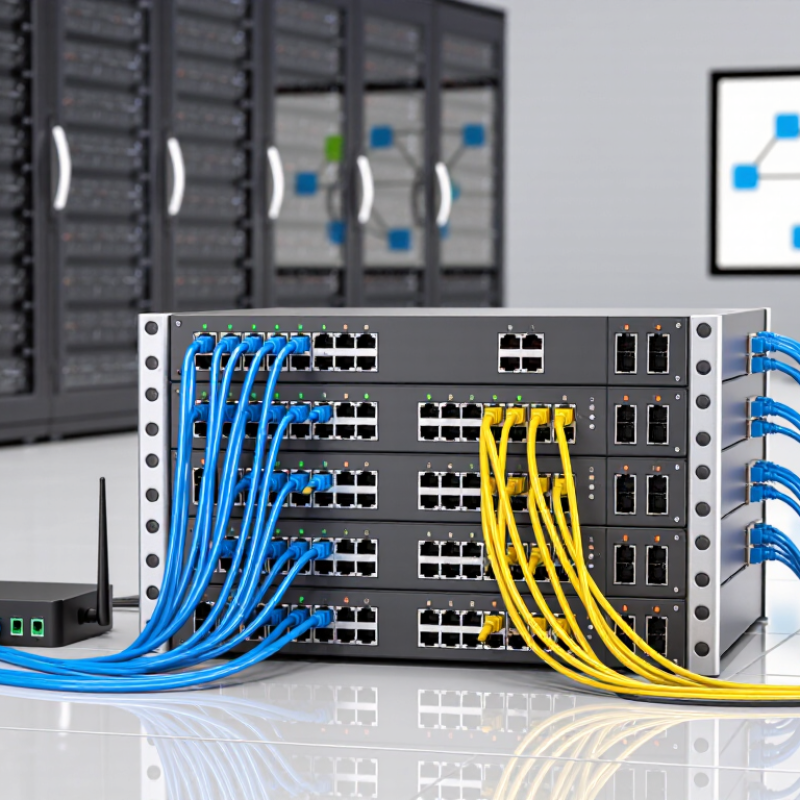
Assess the devices at each edge of your network before selecting a managed switch. Standard office computers often work well at 1GbE, while modern Wi-Fi access points may benefit from 2.5GbE or 5GbE. IEEE 802.3bz defines both multi-gigabit speeds for twisted-pair Ethernet. The Ethernet Alliance’s 2024 Ethernet Roadmap charts Ethernet rates from 1GbE through 800GbE, illustrating how broadly network speeds now vary. A roadmap is not an adoption survey, though; your own device inventory is more useful than a headline.
Tip: Count busy ports, not just occupied ports. Check access-point specifications, server NICs, storage traffic, and planned upgrades. Then total their expected peak throughput. If twelve 2.5GbE access ports share one 10GbE uplink, that link can become a bottleneck during simultaneous demand. It may still be acceptable for typical office use. Measure before assuming.
Match uplinks to traffic between switch groups and core equipment. A 10GbE uplink can suit a small access switch, but several switches, high-speed storage, or heavy backups may call for multiple uplinks or faster aggregation. Verify supported fiber or copper media, cable distance, and port configuration. Leave some headroom. It is easy to overbuy, and equally easy to overlook tomorrow’s traffic.
IEEE 802.3bt can deliver up to 90 W from a switch port, but that figure is a maximum. The powered device receives less after cable losses. Check the standard and power class required by each camera, access point, or display before selecting a switch.
Add the device requirements together, then compare the total with the switch’s PoE budget. A switch may support 90 W on an individual port without supplying that amount across every port at once. For example, four high-power ceiling access points could exceed the available budget, even when each port appears suitable. Leave headroom for startup demand and future devices. Small margins matter.
Cable details matter too. Long runs and poor-quality cabling can reduce delivered power or create heat. Use suitable Ethernet cabling and check the planned run length. A simple spreadsheet helps: list each device, its maximum draw, port needs, and expected growth. Recheck the numbers against the switch specifications. It is easy to overlook a display or a replacement camera. That mistake is worth catching early.
When comparing managed switches, do not judge VLAN capacity by the headline number alone. IEEE 802.1Q provides 4,094 usable VLAN IDs; IDs 0 and 4,095 are reserved. A switch may support fewer VLANs in practice, so check its specifications and software limits. Also consider how easily you can assign ports, tag uplinks, and keep guest, office, and camera traffic separate. A clear configuration screen saves time during routine changes.
QoS matters just as much when several traffic types share a link. Look for support for traffic classification, priority queues, and settings such as 802.1p or DSCP handling. For example, a busy file transfer should not make a voice call choppy. That matters. Still, QoS cannot create extra bandwidth, and incorrect rules can push ordinary traffic to the back of the queue. Test settings with real workloads, not just a configuration checklist.
Plan around the network you have and the growth you can reasonably expect. A small office may need only a few VLANs today, but separate networks for staff, visitors, and devices can make troubleshooting easier. Not always. More segmentation adds management work, and I have seen tidy plans become confusing when naming and documentation were skipped. Check whether the switch lets you save configurations, review traffic counters, and spot queue drops before choosing it.
IEEE 802.1Q uses a 12-bit VLAN identifier. VLAN ID 0 is reserved for priority-tagged frames and ID 4095 is reserved, leaving IDs 1–4094 available for VLANs. When comparing switches, also check QoS capabilities such as 802.1p priority handling and configurable traffic queues.
A managed switch must carry traffic in both directions at once. For full-duplex Ethernet, estimate minimum switching capacity by multiplying port count by port speed, then doubling the result. A 24-port, 1 Gb/s switch therefore needs at least 48 Gb/s of switching capacity to forward every port at line rate. Check the stated figure carefully: some specifications list only one direction. IEEE 802.3 defines Ethernet link operation; the capacity calculation reflects simultaneous transmit and receive traffic. Leave headroom for uplinks and growth.
The Ethernet Alliance’s 2024 Ethernet Roadmap tracks 800 Gb/s and 1.6 Tb/s Ethernet speeds, illustrating how quickly data-center links can outgrow older designs. These are not typical access-switch requirements, but they matter when sizing aggregation or server-facing equipment. For example, four 10 Gb/s uplinks can add 80 Gb/s of full-duplex switching demand. Don’t rely on port counts alone. Review the switch’s forwarding capacity and packet-processing rate, then compare them with your busiest traffic paths. A lab test with realistic traffic can expose limits that a datasheet misses. I’d still question any design that leaves no margin; peak traffic rarely arrives neatly.
A managed switch should preserve connectivity when a link fails and limit who can join the network. IEEE 802.1D Spanning Tree Protocol (STP) prevents Layer 2 loops by placing redundant paths in a blocking state. That protection matters when two cables connect the same switches. But a blocked path does not guarantee quick recovery. Test by disconnecting an active uplink and measuring service interruption.
Check which spanning-tree modes the switch supports, and confirm settings match across connected equipment. Classic STP may recover more slowly than newer rapid variants. Do not assume the default is right. Record the root bridge, inspect port roles, and test changes in a maintenance window. A lab test can still miss a misconfigured edge port.
For access control, IEEE 802.1X authenticates devices before granting network access, often through a RADIUS server. Test employee laptops, phones, and less predictable devices separately; define a safe, documented fallback for authentication outages. Verizon’s 2024 Data Breach Investigations Report found that 68% of breaches involved a non-malicious human element. IBM’s 2024 Cost of a Data Breach Report put the global average breach cost at $4.88 million. These figures do not prove 802.1X prevents breaches, but they make unmanaged access worth examining. Check logs after rollout; policies often need adjustment.
| No. | Selection tip | What to verify | Why it matters | Practical check |
|---|---|---|---|---|
| 1 | Confirm the spanning-tree standards supported | Check whether the switch supports classic STP (IEEE 802.1D) and Rapid Spanning Tree Protocol (RSTP, originally IEEE 802.1w and incorporated into the 2004 revision of 802.1D). | Spanning tree helps prevent Layer 2 loops in bridged Ethernet networks. RSTP generally provides faster reconvergence than classic STP, depending on the topology and configuration. | Review the data sheet and management interface for the exact protocol names, operating modes, and interoperability options. |
| 2 | Check root-bridge controls | Look for configurable bridge priority and visibility into the current root bridge and spanning-tree topology. | Bridge priority is used in the spanning-tree root-bridge election. Deliberate placement of the root can make the Layer 2 topology more predictable. | Verify that administrators can set bridge priority and inspect root identity, port roles, and port states. |
| 3 | Review loop-protection safeguards | Check for features such as BPDU Guard, Root Guard, and loop detection, and understand the conditions under which each acts. | These safeguards can help limit the effects of accidental cabling loops or unexpected spanning-tree devices. Their behavior and names can vary by implementation. | Read the configuration guide and confirm whether a protected port is blocked, disabled, or placed into another state when a condition is detected. |
| 4 | Assess recovery visibility | Confirm that spanning-tree events, topology changes, and port-state transitions can be viewed in logs or monitoring tools. | Useful event records can help operators identify the cause of connectivity changes and distinguish a link failure from a configuration issue. | Check support for event logging and standard monitoring or management interfaces used in your environment. |
| 5 | Verify IEEE 802.1X port-based access control | Confirm that the switch can act as an 802.1X authenticator and communicate with an authentication server, commonly through RADIUS. | IEEE 802.1X provides port-based network access control. A connected device typically needs a supplicant, while the switch mediates authentication with the server. | Check supported authentication methods, server settings, and whether the feature applies to the port types you plan to use. |
| 6 | Understand behavior when authentication fails | Review the available options for unauthenticated, rejected, or unreachable-server states, including any restricted or guest access modes. | Clear failure behavior helps avoid unintended access while providing a defined way to handle outages or devices that cannot perform 802.1X. | Ask whether fallback behavior is configurable and document the security implications before enabling it. |
| 7 | Check support for non-supplicant devices | Determine whether the switch supports MAC Authentication Bypass (MAB) or another explicitly documented alternative for devices without an 802.1X supplicant. | Some printers, sensors, and other embedded devices may not support 802.1X. Alternatives can help accommodate them, but they do not provide the same credential-based protection as 802.1X. | Confirm how alternative authentication is enabled, which devices it applies to, and how access can be restricted. |
| 8 | Review per-port and multi-device policies | Check whether authentication can be configured per port and how the switch handles multiple devices connected through a downstream hub or phone. | Port policy affects which devices can connect and whether each device is authenticated individually or under a shared port-level arrangement. | Compare documented modes, such as single-host and multi-host behavior, with the devices and wiring planned for each port. |
| 9 | Inspect authorization and VLAN assignment options | Verify whether successful authentication can result in policy-based access, such as an assigned VLAN, where supported by the switch and authentication system. | Separating devices by role or policy can limit unnecessary network access. Available assignment options depend on configuration and interoperability. | Confirm the required switch and server settings, and test that an authenticated device receives only its intended access. |
| 10 | Plan a test before deployment | Test spanning-tree behavior, 802.1X authentication, server-loss handling, logs, and recovery using representative devices and cabling. | Standards support alone does not guarantee that a particular topology, client, and policy will work as intended. | Use a staging setup to document expected port states, authentication outcomes, and recovery steps before applying the configuration network-wide. |