7 USB Charging Cable Buying Tips for Global Buyers

Blog

7 USB Charging Cable Buying Tips for Global Buyers

A charging cable can look simple on a product page, yet the wrong specification may mean slow charging, poor compatibility, or costly returns. IDC’s Worldwide Quarterly Mobile Phone Tracker reported approximately 1.17 billion smartphone shipments in 2023. That scale makes cable selection a practical sourcing decision, not a minor accessory choice. The phrase “Usb Charging Cable” covers products with very different connectors, power ratings, data capabilities, and construction. A braided exterior alone proves little.

Standards matter. USB-IF’s USB Power Delivery 3.1 specification supports power levels up to 240 watts, but a cable’s actual rating must match the charger and device. Buyers should check certified specifications, connector type, stated wattage, data-transfer needs, and test documentation. For example, a laptop cable designed for high-power charging is not automatically the best fit for a phone bundle. Small details matter.

This guide presents seven buying tips for global buyers, from verifying supplier claims to assessing packaging, samples, and quality controls. USB-IF documentation and IDC shipment data provide useful context, but neither replaces hands-on evaluation. Test samples with the devices and chargers customers actually use. Check connector fit, cable length, labeling, and performance after repeated bending. Results can vary between batches; that deserves attention, even when the first sample looks excellent. The right choice balances verified performance, durability, price, and clear communication with the supplier.
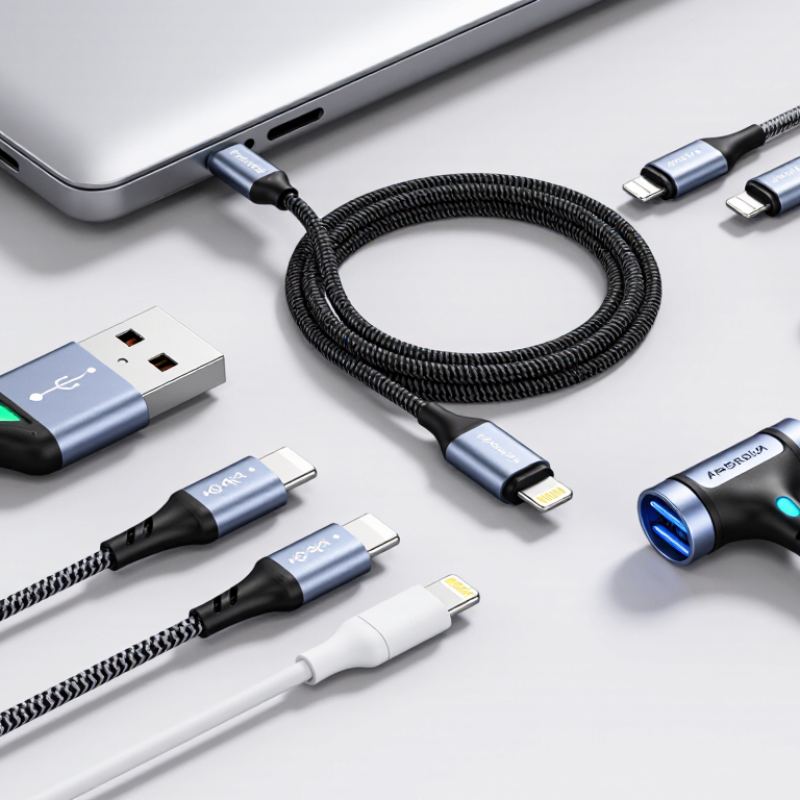
7 USB Charging Cable Buying Tips for Global Buyers

Identify USB-C, USB-A, and device-port compatibility before sourcing

Before requesting quotes, list the connector at each end of the cable and the port on the device. USB-C to USB-C, USB-A to USB-C, and USB-C to a device-specific plug are different products. A connector that looks familiar may still be the wrong shape or fit. Check the device manual, port photos, and, when possible, a physical sample. Small details matter.

USB-C describes the connector, not a guaranteed charging speed. Confirm the cable’s stated power rating and check that it matches the charger and device. For USB-A chargers, verify the expected charging behavior rather than assuming it matches USB-C power delivery. Some cables also carry data; others are intended for charging only. Specify that requirement in the purchase order.

Test representative devices before approving a production run. A common sourcing miss is checking the charger end but not the device end. Port photos can help, but they are not foolproof. Record connector types, cable length, power requirements, and data needs in one specification sheet. It may feel repetitive. That small extra check can prevent cartons of cables that fit one device but not the rest.

Match power needs: USB PD 3.1 EPR supports up to 240 W

When a device needs serious power, a USB-C connector alone proves very little. USB Power Delivery 3.1 Extended Power Range can support up to 240 W, using compatible equipment and an EPR-rated cable. At the top level, that means up to 48 V and 5 A. Not every charger, laptop, or cable can handle it. All three must support the required power profile.

Check the cable’s stated rating, product documentation, and test records before placing a bulk order. Ask suppliers how they verify current capacity and manage heat during sustained use. A thin cable may feel convenient in the hand, but its appearance cannot confirm safe performance. Look for clear wattage information on packaging and consistent specifications across samples and production batches. Small details matter.

Actual charging speed depends on the connected devices and their negotiated power levels. A 240 W cable will not make a 65 W charger deliver more power. Easy to overlook. Buyers can also request sample testing with the intended charger and device, checking connector fit and cable temperature during use. One imperfect assumption is common: higher wattage must always be better. In practice, matching the cable to the real workload can reduce cost and avoid unnecessary bulk.

7 USB Charging Cable Buying Tips for Global Buyers — Match Power Needs: USB PD 3.1 EPR Supports Up to 240 W

Buying Tip What to Check Why It Matters Practical Guidance
1. Match the cable to the required power Confirm the charging standard, cable rating, and power supported by both the charger and device. The delivered power is limited by the least capable part of the charging setup. For USB Power Delivery 3.1 Extended Power Range (EPR), the maximum is 240 W (48 V at 5 A). The charger, device, and cable must all support the required EPR power level.
2. Check the cable’s current rating Look for a clearly stated current rating, such as 3 A or 5 A, and verify that it suits the intended power. At a given voltage, higher power requires higher current; a cable rated for a lower current can limit charging. High-power USB-C charging above 3 A requires a suitable electronically marked cable. For EPR charging, use a cable specifically rated for the intended EPR power level.
3. Verify connector compatibility Check the connector type at both ends and the ports on the charger and device. A cable must physically and electrically match the equipment to establish the intended connection. USB-C to USB-C is commonly used for USB PD charging. A connector shape alone does not confirm support for a particular charging wattage or data speed.
4. Separate charging power from data speed Check charging specifications and data-transfer specifications independently. A cable designed for charging may provide only basic data transfer; a high data rate does not automatically indicate a high power rating. If you need fast file transfers or video, look for an explicitly stated data capability in addition to the power rating. Do not infer data performance from the connector alone.
5. Choose a practical cable length Measure the distance between the power source and the device, then compare the cable’s rated performance at that length. Cable construction and length can affect electrical performance, handling, and convenience. Choose a length that fits the setup without unnecessary slack. For high-power use, follow the cable maker’s stated power limits for the exact cable length and model.
6. Assess durability for the use environment Review connector strain relief, jacket material, flexibility, and any stated bend or cycle testing. Repeated bending, pulling, and travel can wear cables and damage connectors over time. For frequent travel or daily use, prioritize clear construction details and a suitable jacket. Avoid sharp bends and pulling the cable by its connector.
7. Check labeling and market requirements Review the product’s ratings, safety information, traceability, and applicable compliance documentation for the destination market. Clear documentation helps buyers verify specifications and meet sourcing or import requirements. Ask suppliers for test reports or other relevant documentation where required. Do not treat a certification mark or a printed wattage claim as a substitute for verifying the cable’s actual specification.

Note: USB PD 3.1 EPR is a system-level capability. A 240 W result requires compatible equipment and an appropriately rated EPR cable; the maximum is not guaranteed for every device or charging combination.

Compare data rates: USB 2.0 reaches 480 Mbps; USB4 Version 2.0 reaches 80 Gbps

A cable’s data rate can matter as much as its charging rating when buyers move product files, firmware, or video between devices.

USB 2.0 supports data transfer rates up to 480 Mbps.
USB4 Version 2.0 can reach up to 80 Gbps under suitable conditions.

That is a major difference. A 20 GB file could take far longer over a USB 2.0 connection than over a compatible USB4 setup, though real transfer times vary.

The cable alone does not set the speed. The computer, connected device, port, and supported protocol must also match. A USB-C plug does not guarantee USB4 performance.

Check the product specification for the stated data rate, and ask suppliers to confirm it applies to the exact cable model being quoted. For bulk purchases, test a sample with your own equipment and a large file. Measure the transfer, not just the label.

This may feel overly cautious, but buyers can easily focus on wattage and overlook data capability. Also, fast data does not automatically mean faster charging; charging power needs separate verification.

And specifications can be confusing. A clearly documented rate is more useful than a vague “high-speed” claim.

Verify USB-IF certification and 5 A e-markers for high-power cables

For high-power USB-C cables, check the e-marker, not just the packaging. The USB Type-C Cable and Connector Specification requires electronic marking for cable assemblies rated above 3 A. That chip reports cable capabilities to the connected devices. Without it, a charger may limit output or refuse a high-current connection. A printed “5 A” claim still makes me pause.

USB-IF’s USB Power Delivery 3.1 materials specify power delivery up to 240 W, using up to 48 V and 5 A. That makes a genuine 5 A e-marker important for cables sold for top-end power levels. Ask suppliers for USB-IF certification details, then check the product listing through USB-IF’s certified-product directory. Match the listed model to the cable you are sourcing; a certificate for a different product is not enough. I would also sample-test cables with suitable equipment. Certification helps, but it does not reveal every weak connector or inconsistent production batch. Cite the USB Type-C Cable and Connector Specification and USB-IF’s USB Power Delivery 3.1 materials in your procurement records.

Assess cable length, durability, and regional compliance for global purchasing

Cable length affects more than desk convenience. A two-metre cable can make bedside charging easier, but added length may increase voltage drop, especially with thin conductors and high-power loads. Match the cable’s rated current and power to the device, charger, and USB-C specification; do not rely on connector shape alone. USB-IF’s USB Type-C Cable and Connector Specification sets technical requirements for cable performance and identification. Ask suppliers for current test records and clear power-rating labels. Check the exact length, too. “About one metre” is not a production specification.

Durability is best assessed with measurable checks: conductor gauge, strain-relief design, connector retention, and documented flex-test results. Inspect samples where the cable exits the plug; that short section often takes repeated bending beside a phone or power bank. Request test conditions and pass criteria, not just a claim of “reinforced” construction. A neat sample does not guarantee every production batch will match. I would still question unusually low quotes that omit material details.

Regional compliance can change the buying decision. The European Commission estimates that common-charger rules could reduce annual electronic waste by 11,000 tonnes. In the EU, USB-C requirements now apply to covered portable devices, with laptop requirements taking effect in April 2026. Check each destination’s current rules, labeling, and documentation needs before placing a bulk order. Keep supplier declarations and test reports tied to the specific cable model. Small paperwork gaps can delay a shipment.